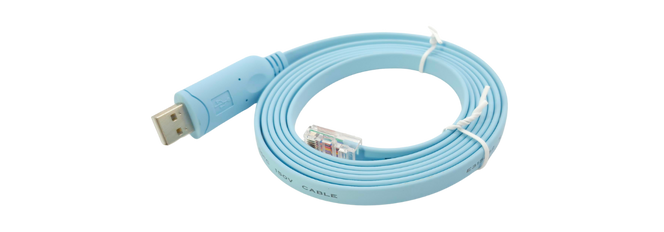
BFFTDICON cable is made up with the FTDI Chip. There are all the drivers available for all OS, including Linux, macOS, Windows XP to Windows 11, and Windows CE.
https://ftdichip.com/drivers/vcp-drivers/
This link contains all the OS drivers. You can download them based on your OS and access the system via PuTTY or another terminal to connect via the Serial Port.
Installation documentation is available on their website as follows:
https://ftdichip.com/document/installation-guides/
Windows Issue after driver installation.
After installing the driver, you might see the following device on your Windows machine, and the system will not recognize BFFTDICON as a COM port.

After confirming the driver is installed, keep the cable connected to your Windows machine and follow the instructions below to resolve this issue.
- Go to your Device Manager
- Right-click on the device labelled LibUSB-1.0.
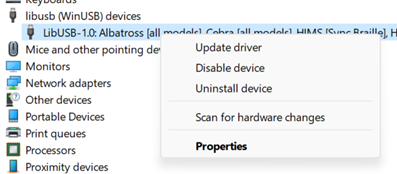
3. Click on Update Driver.
4. You will see this window open, click on Browse my PC for drivers
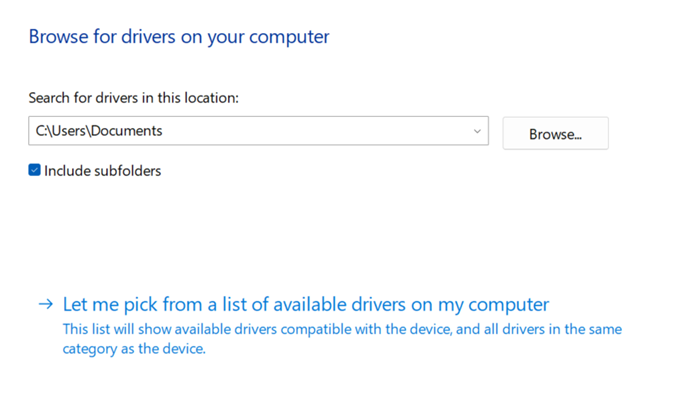
5. Click on “Let me pick from a list of available drivers on my computer.”
6. You should see this screen if your drivers are already installed.
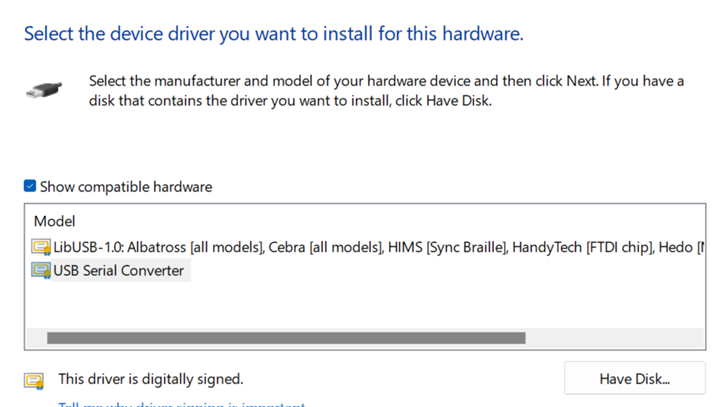
7. Select “USB Serial Converter” and proceed.
8. You should see this screen
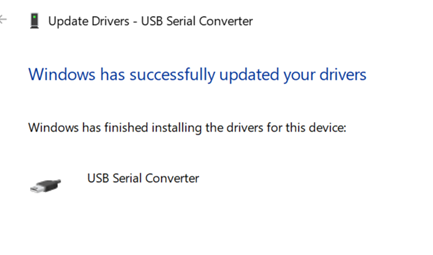
7. Now go to your Device Manager, and you can see the COM port with the number as shown in the image below.
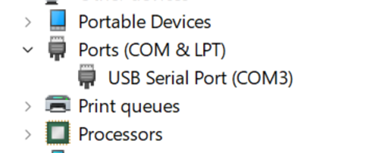
10. Your computer may show multiple COM ports, and the number may differ from what this guide shows.
11. Open Putty (Recommended) and select the following configurations.
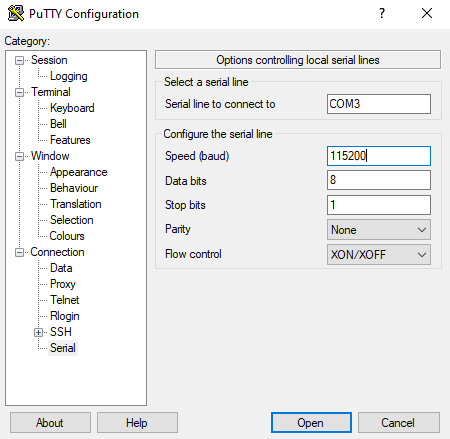
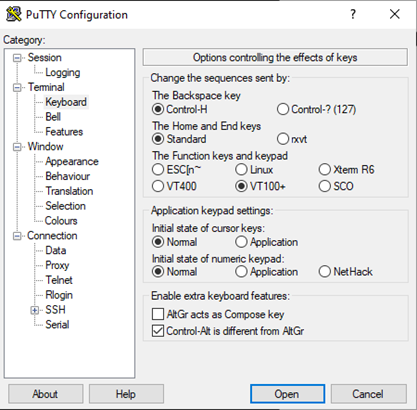
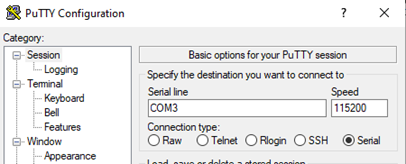
Click Open, and you should see your Terminal screen now.